Fetch - Azure Enumeration Web App
Fetch is an Azure enumerator tool designed to help security professionals and administrators analyze and enumerate Azure environments.

Fetch is a powerful Azure enumeration web application designed specifically for security professionals and administrators. It streamlines the process of analyzing and enumerating Azure environments, providing you with essential tools and insights to enhance your security posture.
With Fetch, you can efficiently manage access tokens, view detailed token information, and track token expiration to ensure continuous security monitoring. The app offers various methods for generating and handling access tokens, including manual input, client secret-based requests, certificate-based authentication, and streamlined client ID and tenant ID authentication.
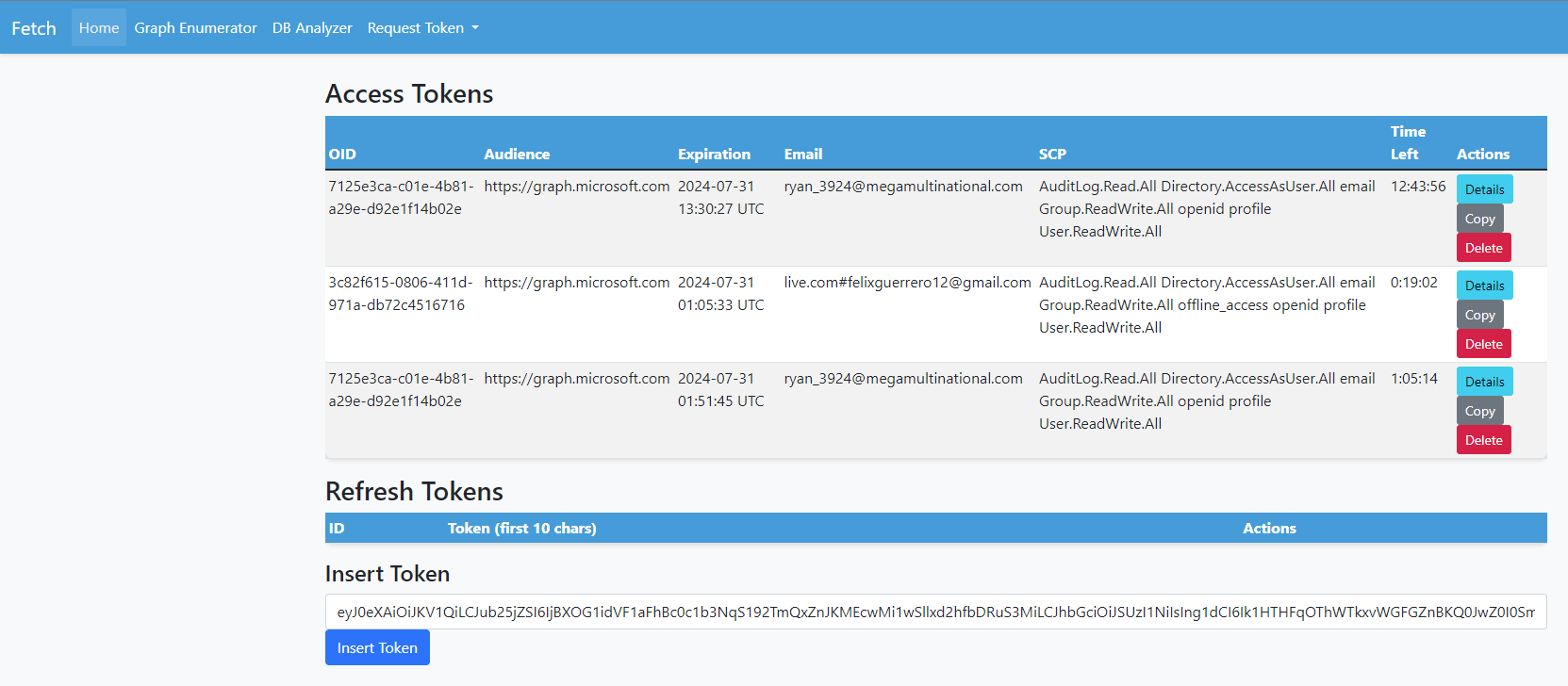
Token Actions
Copy: Clicking the "Copy" button copies the access token to the clipboard.
Details: The "Details" button decodes the token and presents the full details, including claims and metadata.
Delete: The "Delete" button removes the token from the database.
Token Expiry Countdown
The app calculates the remaining time before the token expires and displays it in a readable format. This feature helps users stay aware of token validity and take necessary actions before tokens expire.
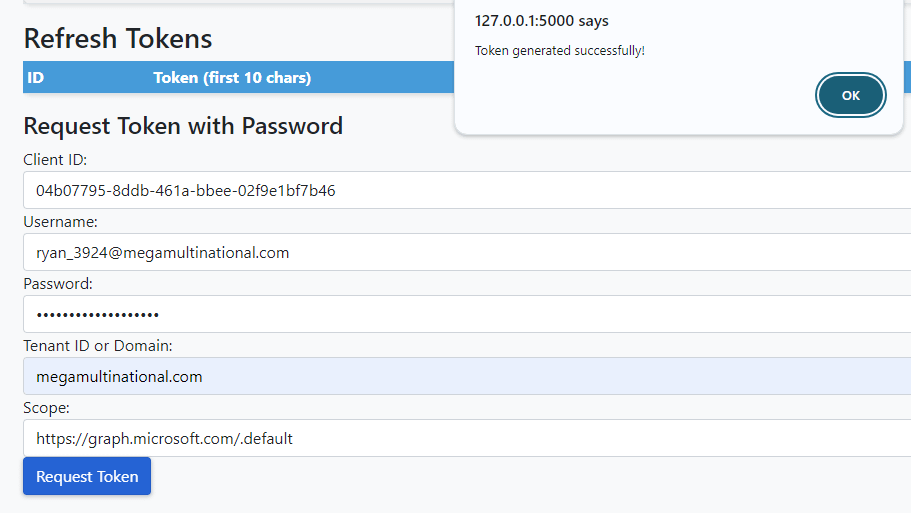
The Client ID used for the request token with Password is "Microsoft Azure CLI”. For additional client ids can be found here: https://learn.microsoft.com/en-us/troubleshoot/azure/entra/entra-id/governance/verify-first-party-apps-sign-in
Other options for Generating Access Tokens in Fetch
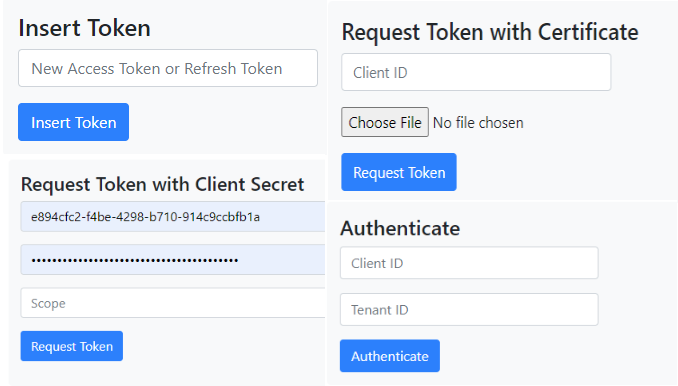
Insert Token: Manually input an existing Access Token or Refresh Token to immediately start using it within Fetch.
Request Token with Client Secret: Obtain an Access Token by providing your Client ID and Client Secret, along with the desired scope for access.
Request Token with Certificate: Securely generate an Access Token using a Client ID and a certificate file, ensuring enhanced security through certificate-based authentication.
Authenticate: Generate an Access Token by authenticating with your Client ID and Tenant ID, streamlining the process for users with these credentials.
Once the Access Tokens have been imported into the database, they can be selected for enumeration.
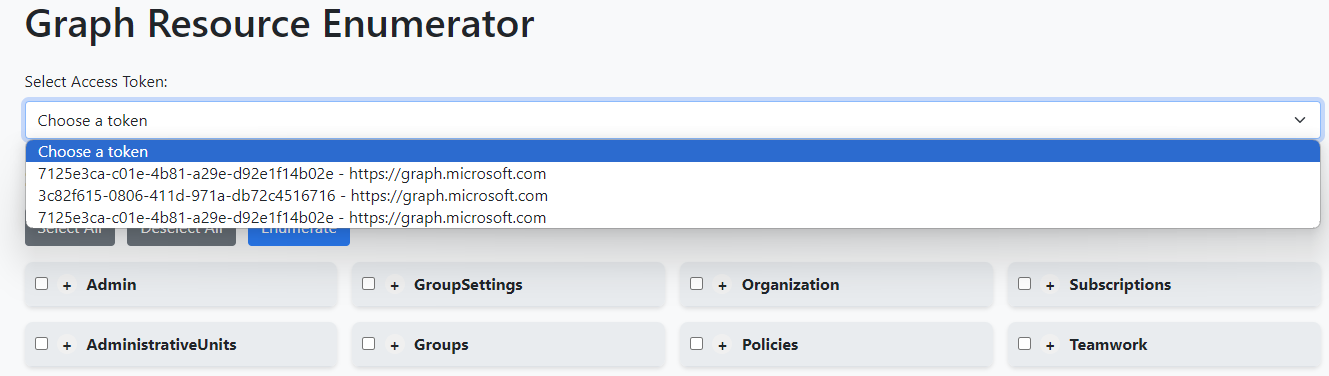
The selected access token is analyzed to determine its scopes and highlights which ones are available for the user. This allows the user to select one or more endpoints to enumerate. The results can be expanded using a dropdown at the bottom, which shows the enumeration results. Accessible endpoints are shown in green, potentially accessible ones in yellow, and endpoints not recommended due to insufficient token scope in gray.
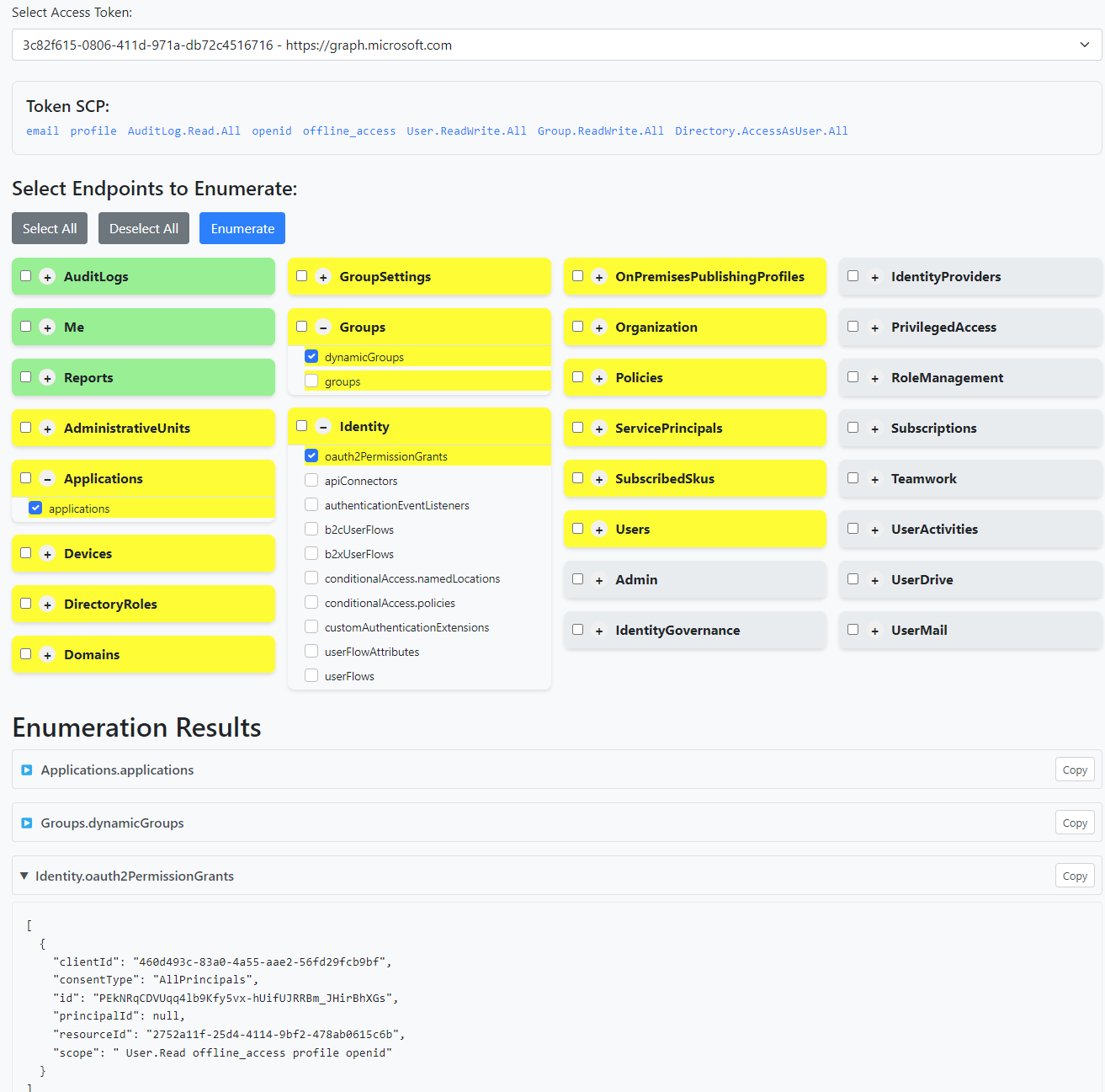
To utilize all capabilities (if there are no restrictions), you will need to generate an access token with the following scopes:
'Directory.Read.All', 'Policy.Read.All', 'IdentityProvider.Read.All', 'Organization.Read.All', 'User.Read.All', 'EntitlementManagement.Read.All', 'UserAuthenticationMethod.Read.All', 'IdentityUserFlow.Read.All', 'APIConnectors.Read.All', 'AccessReview.Read.All', 'Agreement.Read.All', 'Policy.Read.PermissionGrant', 'PrivilegedAccess.Read.AzureResources', 'PrivilegedAccess.Read.AzureAD', 'Application.Read.All'There is an additional page called DB Analyzer (to be renamed in the near future) that allows you to analyze potential high-risk roles. The example below searches for all users with privileged roles within Microsoft Entra.
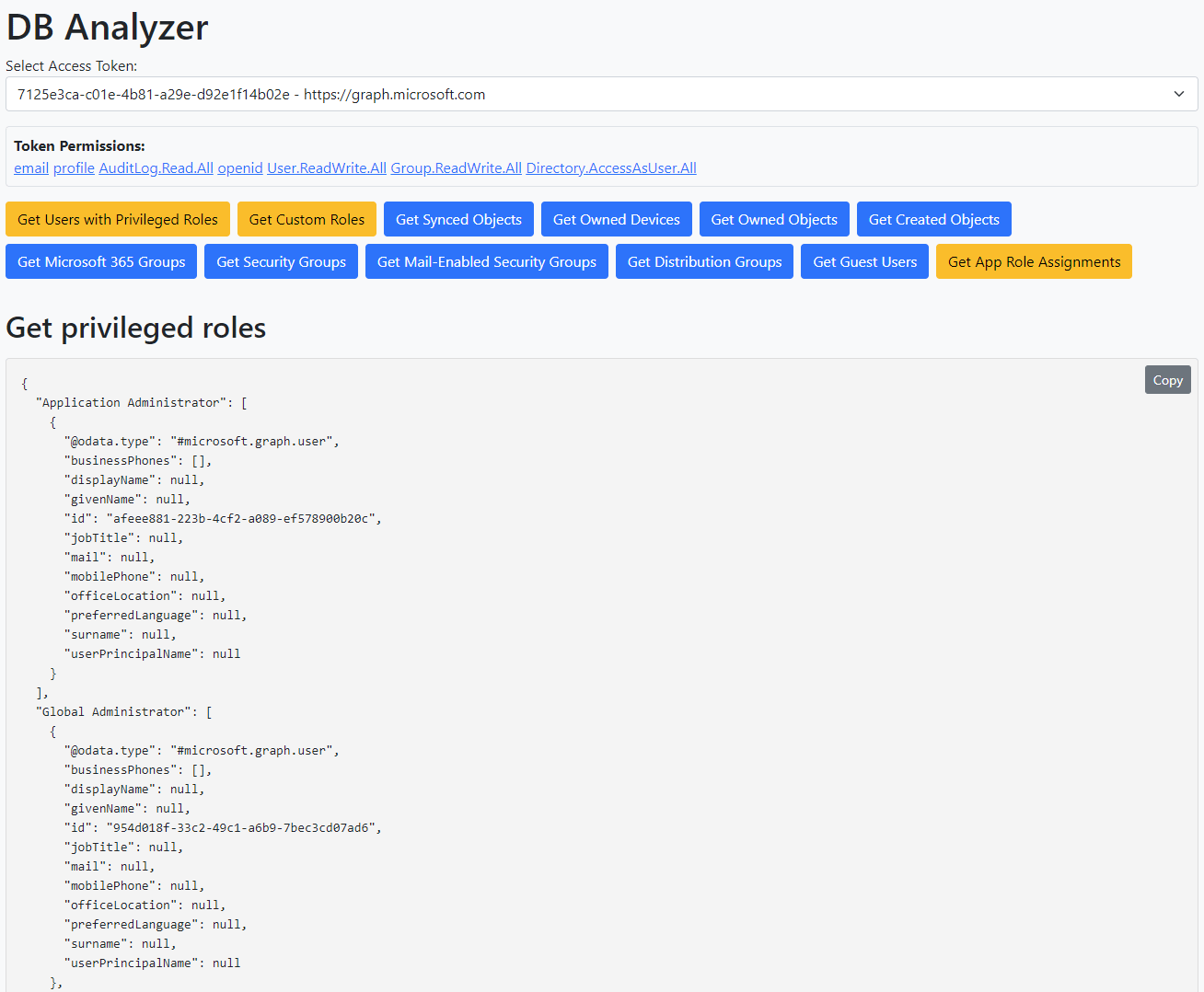
There are a couple of bugs in the app, but it is quite useful for generic enumeration and standard high-risk item requirements.
Fix the SQLite data store to properly save the output of each execution.
Add additional endpoint items to enhance the app's capabilities.
Build a page that interacts with Azure ARM (Keyvault, VMs, etc.).
Add documentation on how to use the app.
Make it better looking, and pleasing to look at.
Add login page for more secure environment